Configuration
Configure lomiri from the admin panel, and what still lives in .env.
Almost everything is configured in the panel itself, under Admin → Settings: client features, backups, single sign-on and the installation name. Changes apply as soon as you save, with no restart and no redeploy.
The .env file only holds what the stack needs to start (the URL, secrets and image version), plus
optional defaults for the settings below. A value saved in the admin panel always wins over the
environment.
Admin settings
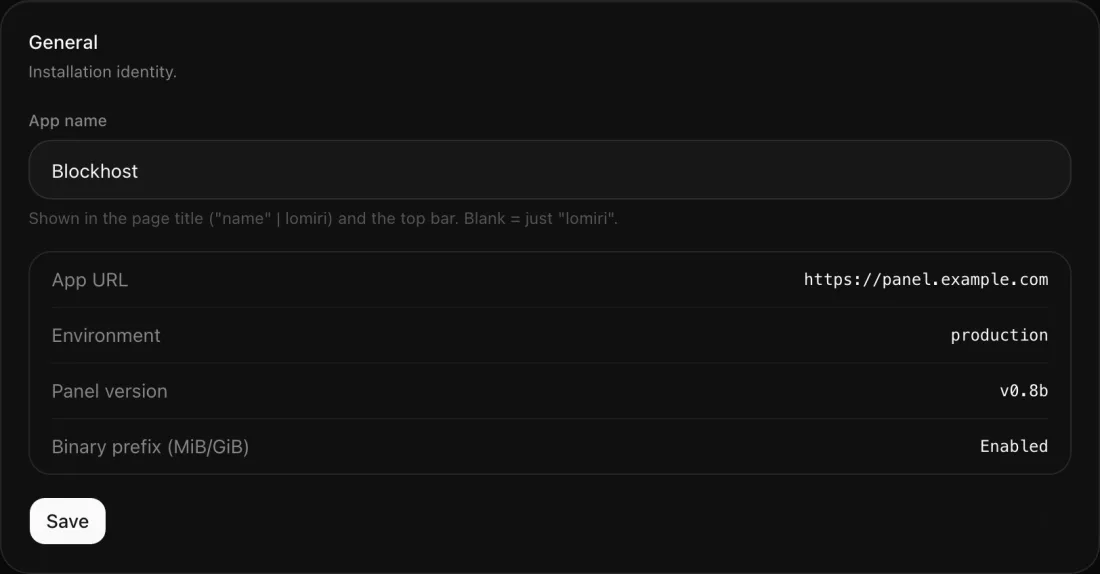
General
The installation name, shown in the page title and the top bar. The panel URL, environment and
version are shown for reference; they come from .env and the image.
Features
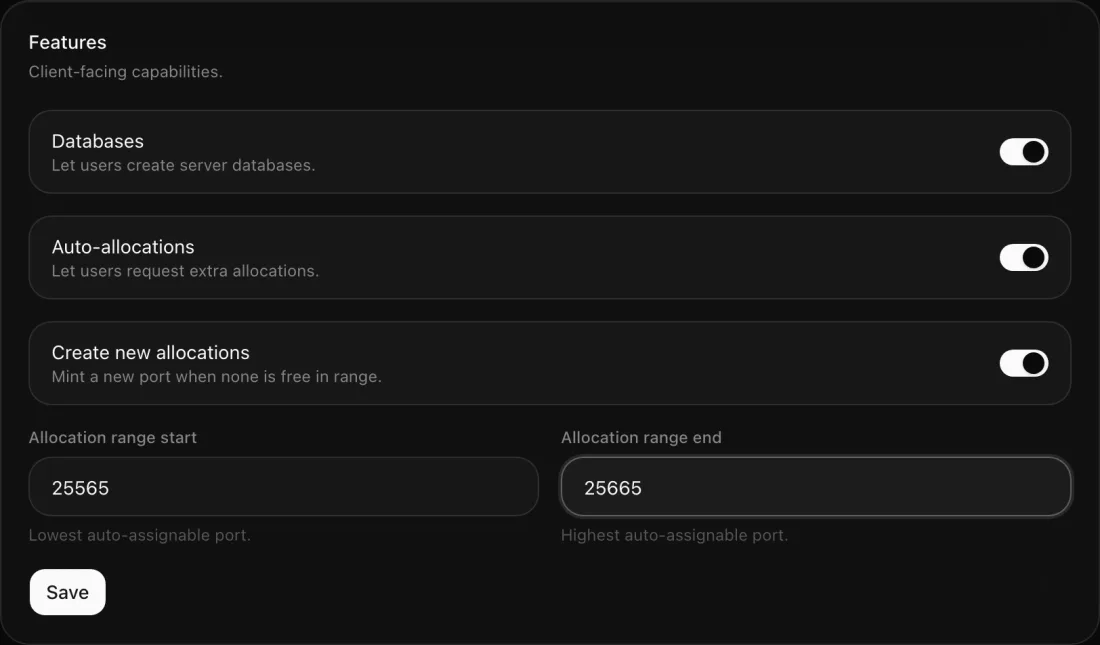
What players can do on their own:
- Databases: let users create databases for their servers on your database hosts.
- Auto-allocations: let users add ports to their servers, from the range you set.
- Create new allocations: when no port in the range is free, create a new one.
Backups
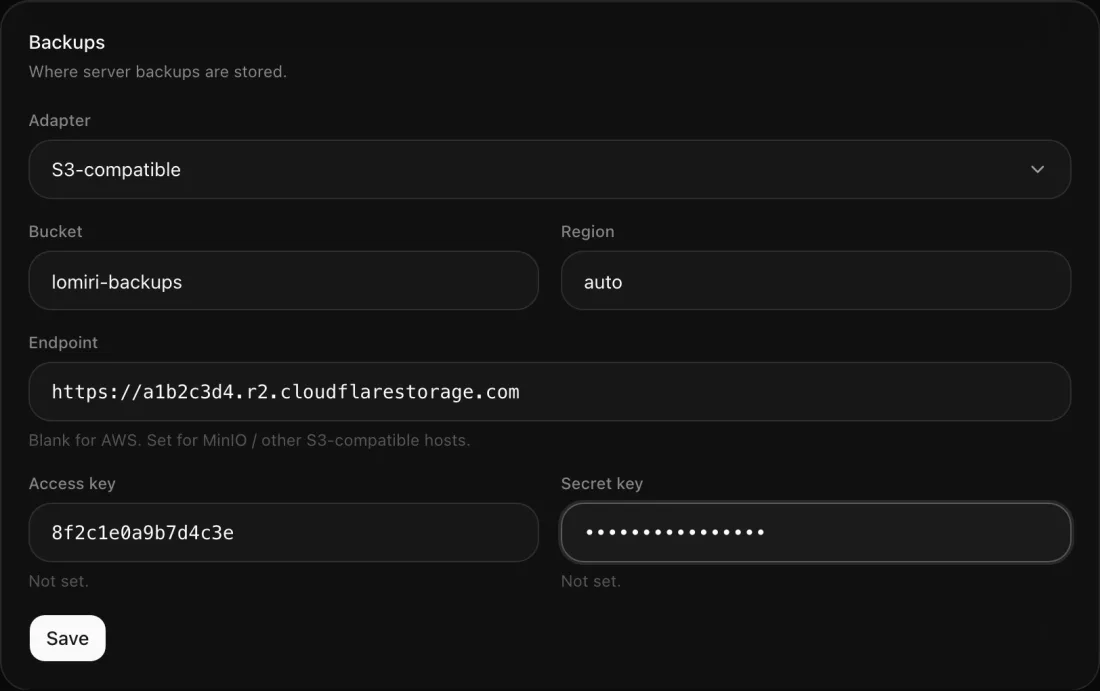
Where server backups go: on the node itself (Wings), or to any S3-compatible storage such as AWS S3, Cloudflare R2 or MinIO. Leave the endpoint blank for AWS. Saved keys stay hidden; leave a key field blank to keep the stored value.
OAuth login
Single sign-on through one OAuth2 / OpenID Connect provider. The display name appears on the login button ("Sign in with Authentik"). Register this redirect URI with your provider:
<APP_URL>/auth/oauth/callback/<driver>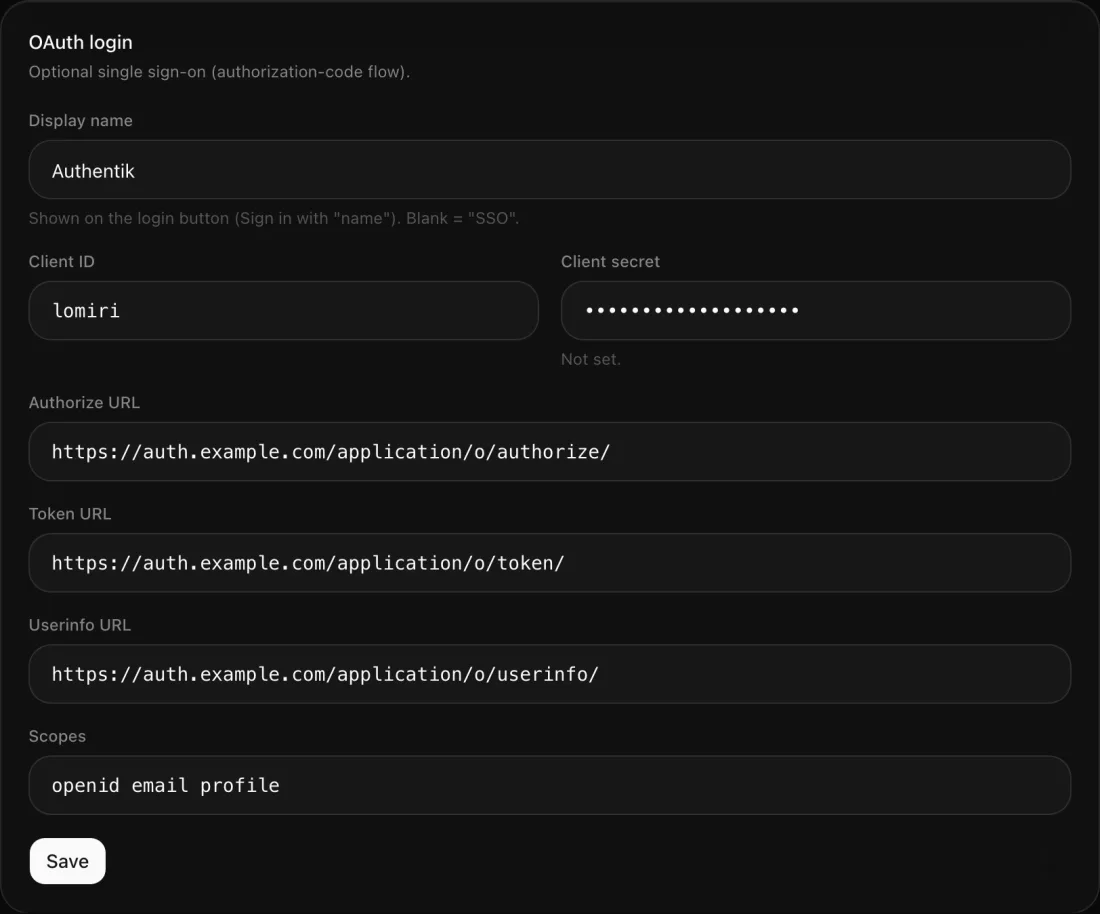
Rate limiting, self-service, self-registration and the announcement bar are configured in Admin → Modules. See Modules.
The .env file
Read by the install compose file.
| Variable | Default | Purpose |
|---|---|---|
APP_URL | — | Public URL of the panel, used for OAuth redirects and links. Wings reaches the panel here, and Caddy gets its certificate for this domain. |
POSTGRES_PASSWORD | — | Database password. Required. |
OAUTH_STATE_SECRET | — | Signs the login-state token. Required, even without SSO. |
APP_NAME | blank | Default installation name. Editable in Admin → Settings. |
LOMIRI_TAG | latest | Image version: latest, a release (1.2.3, 1.2) or sha-<short>. |
LOG_LEVEL | info | trace, debug, info, warn or error. |
TRUSTED_PROXIES | private ranges | See Networking. |
Defaults from the environment
You can also set the admin settings' starting values from the environment, which is handy for
automated installs. Add them to the api service's environment in docker-compose.yml and run
docker compose up -d:
  api:
    environment:
      BACKUP_ADAPTER: s3
S3_BUCKET: my-backups| Setting | Variables |
|---|---|
| Features | DATABASES_ENABLED, ALLOCATIONS_ENABLED, ALLOCATIONS_CREATE_NEW, ALLOCATIONS_RANGE_START, ALLOCATIONS_RANGE_END |
| Backups | BACKUP_ADAPTER (wings or s3), S3_BUCKET, S3_REGION, S3_ENDPOINT, S3_KEY, S3_SECRET |
| OAuth login | OAUTH_DISPLAY_NAME, OAUTH_CLIENT_ID, OAUTH_CLIENT_SECRET, OAUTH_AUTHORIZE_URL, OAUTH_TOKEN_URL, OAUTH_USERINFO_URL, OAUTH_SCOPES |
Two options exist only in the environment:
| Variable | Default | Purpose |
|---|---|---|
USE_BINARY_PREFIX | off | Use binary prefixes (MiB/GiB) for memory and disk maths, like Pelican's panel.use_binary_prefix. |
LOG_JSON | off | Structured JSON logs, for log aggregation. |
Networking
TRUSTED_PROXIES lists the peers whose X-Forwarded-For header is believed when working out a
visitor's address:
- Comma-separated IPs or CIDRs, for example
203.0.113.10,10.0.0.0/8. *trusts every peer.nonetrusts nobody.- Blank (the default) trusts loopback and private ranges, which covers the bundled Caddy and any proxy on the same Docker network.
The visitor's address drives rate limiting. Only use * when the
containers can't be reached except through your proxy; otherwise visitors could fake their address.